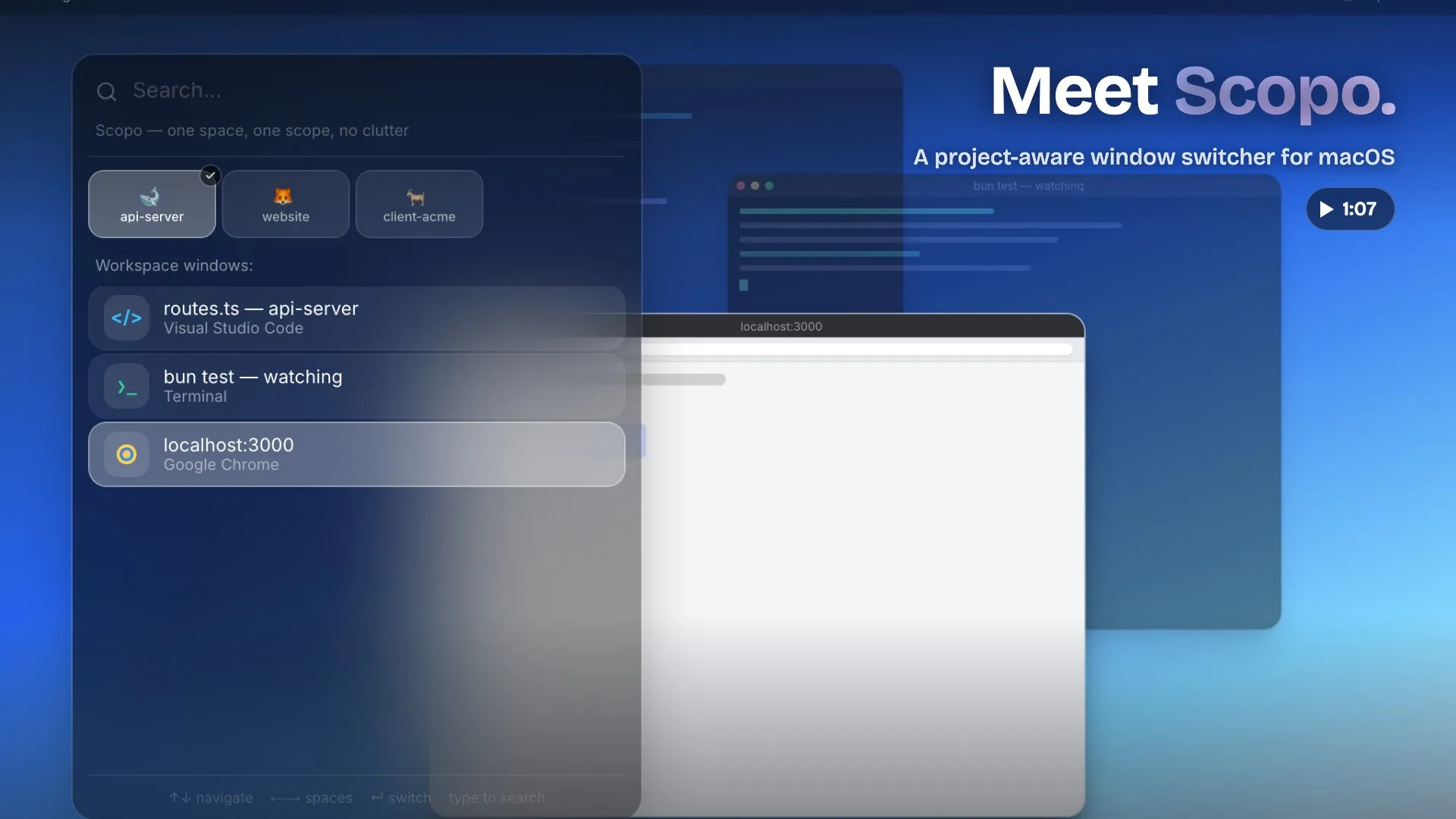
Scopo replaces macOS’s standard Cmd+Tab switcher with a project-aware alternative that filters visible windows to match the current Space, reducing context-switching distractions when working across multiple projects. (Free; Pro $1.25/month)
The core behavior scopes the window list to whichever Space is active, so switching between tasks no longer surfaces unrelated applications. Live previews show window thumbnails during switching, and a cross-Space search lets users locate any open window by title or project name regardless of which Space it belongs to.
The Pro tier extends functionality with window tiling for split layouts within a Space, single-click profiles for switching between client or project contexts, and a shelf for organizing windows not currently in focus. Space appearance customization allows visual differentiation between work environments. All Pro features include a 30-day free trial with a 30-day money-back guarantee.
Scopo is a native Swift application, not Electron-based, and is Apple-signed and notarized. Automatic updates are supported.
System requirements: macOS 13 Ventura or later. Native Swift app; no Electron runtime.
Pricing: (Free core features; Pro $1.25/month with 30-day free trial.)
Limitations: Window tiling is confined to the current Space and does not span across Spaces. The subscription model for Pro features may not appeal to users who prefer one-time purchases. Scoped window switching requires adapting workflows to Space-based project organization to realize the full benefit.
Alternatives: macOS Mission Control provides native multi-Space switching without additional software. Moom ($10, one-time) and Magnet ($7.99, one-time) handle window tiling without the Space-aware switcher. Raycast (free/Pro) includes window management extensions and launcher functionality.
Suitable for users who organize work into distinct macOS Spaces per project and want a switcher that respects those boundaries without surfacing unrelated application windows.

