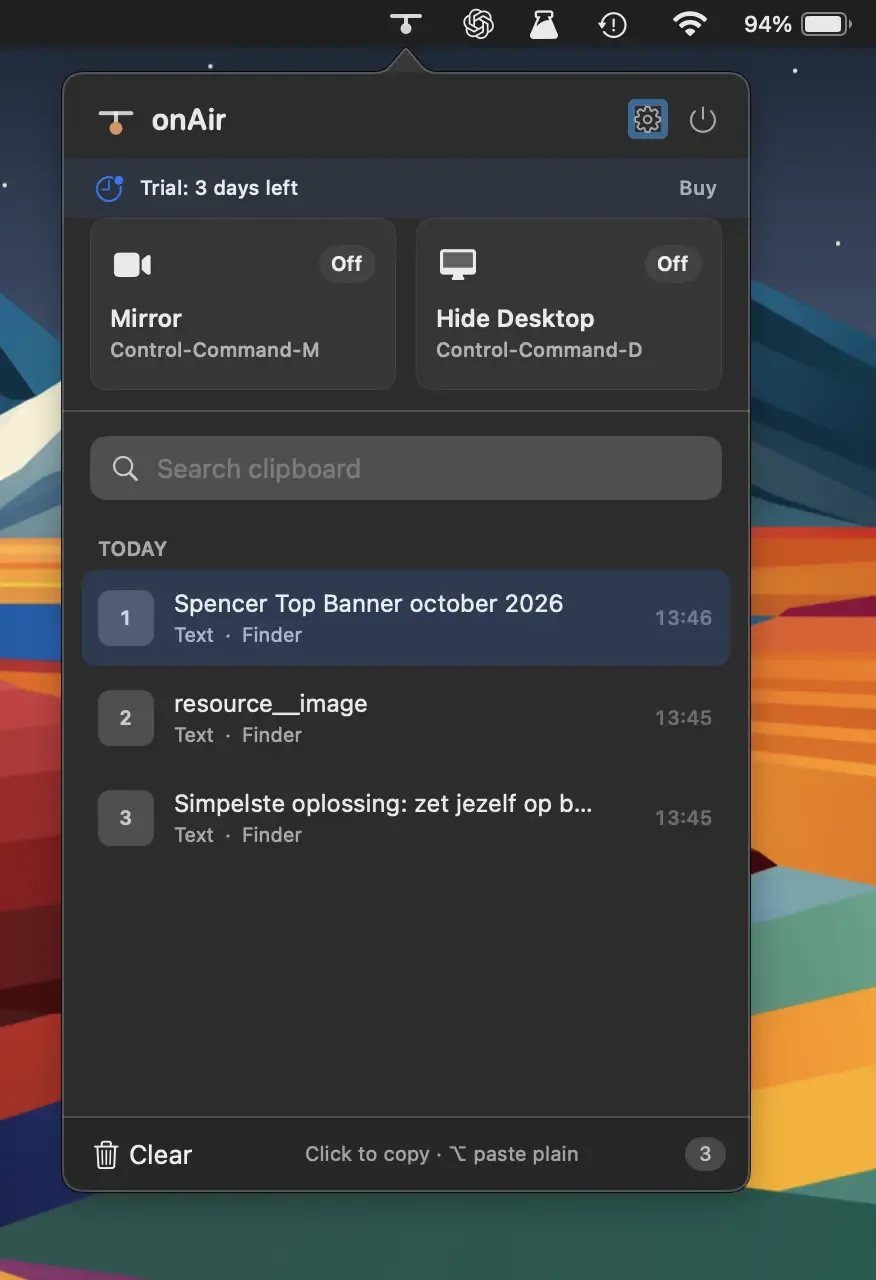
onAir is a native macOS menu bar utility that bundles three tools — clipboard history, camera mirror, and desktop hiding — into a single lightweight app. ($2.99, one-time)
The clipboard manager stores history with fuzzy search for quick retrieval and supports pinning frequently reused items. The app automatically skips password manager entries by ignoring concealed clipboard types. Global keyboard shortcuts (⌃⌘M, ⌃⌘D, ⇧⌘V) provide access to each tool without clicking the menu bar icon.
The camera mirror displays a live webcam preview with configurable shapes — rounded rectangle, circle, or square — and includes a live microphone level indicator useful for checking audio before a video call. The desktop hider removes all files and windows from view to create a clean recording environment, supporting multi-display setups and matching the current wallpaper. Continuity Camera is supported for using an iPhone as a webcam source. The app is built entirely in native Swift/AppKit with no analytics or cloud connectivity.
System requirements: macOS 15 Sequoia or later. Compatible with Apple Silicon and Intel Macs.
Pricing: ($2.99, one-time); 3-day free trial available on direct download.
Limitations: Requires macOS 15 Sequoia, excluding users on macOS 12–14. Mac App Store availability was not confirmed at launch. Clipboard history retention limits are not specified in documentation.
Alternatives: Maccy (free, open-source clipboard manager), Pasta (clipboard manager, subscription-based), and Hand Mirror (free camera preview, App Store). No single competing app combines all three functions at this price point; users typically install separate apps for each capability.
Suitable for users who create screen recordings or join video calls frequently and want lightweight clipboard and camera tools without managing multiple separate menu bar apps.


