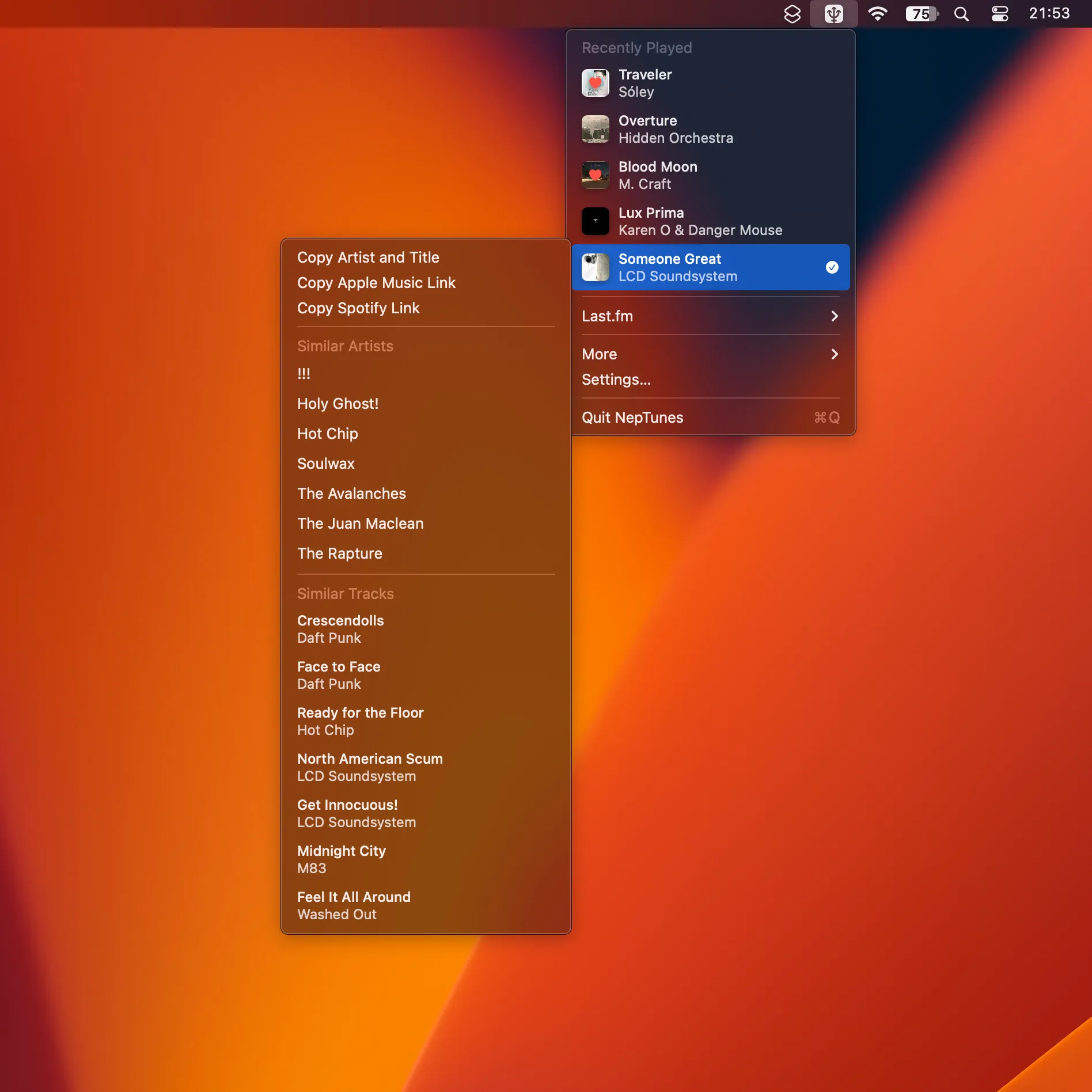
NepTunes is a menu bar scrobbling utility that tracks listening activity across multiple music platforms, automatically logging played tracks to Last.fm. The app supports Apple Music and Spotify as source players, providing a unified solution for users who switch between streaming services.
Key features include automatic music detection that observes and tracks currently playing content, background operation without interrupting the listening experience, and multi-platform scrobbling from a single utility. The app runs discreetly in the menu bar, staying accessible without demanding screen space.
The scrobbling process works by monitoring active music players and submitting track information to Last.fm when playback meets standard scrobbling criteria (typically 50% of track duration or 4 minutes, whichever comes first). This enables comprehensive listening history regardless of which supported player is in use.
Privacy considerations are straightforward—the app primarily interacts with music service APIs to log listening activity. Data transmission is limited to track metadata required for scrobbling.
Technical requirements include macOS (specific version support available on the developer website), active internet connection for scrobbling, and configured Last.fm account credentials. The app is available from Micropixels Software.
Limitations include dependency on supported music service APIs, which may affect functionality if APIs change. Scrobbling only works with supported players—music from other sources will not be tracked. An active internet connection is required for Last.fm submission.
Alternatives include Last.fm’s official scrobbler (official but more limited player support), Simplefm (alternative approach to Last.fm integration), and Spotify’s built-in scrobbling (available in Spotify settings, Spotify-only).
Suitable for users who maintain Last.fm listening history and use multiple music sources on Mac, particularly those who switch between Apple Music and Spotify and want unified scrobbling without running multiple utilities.


