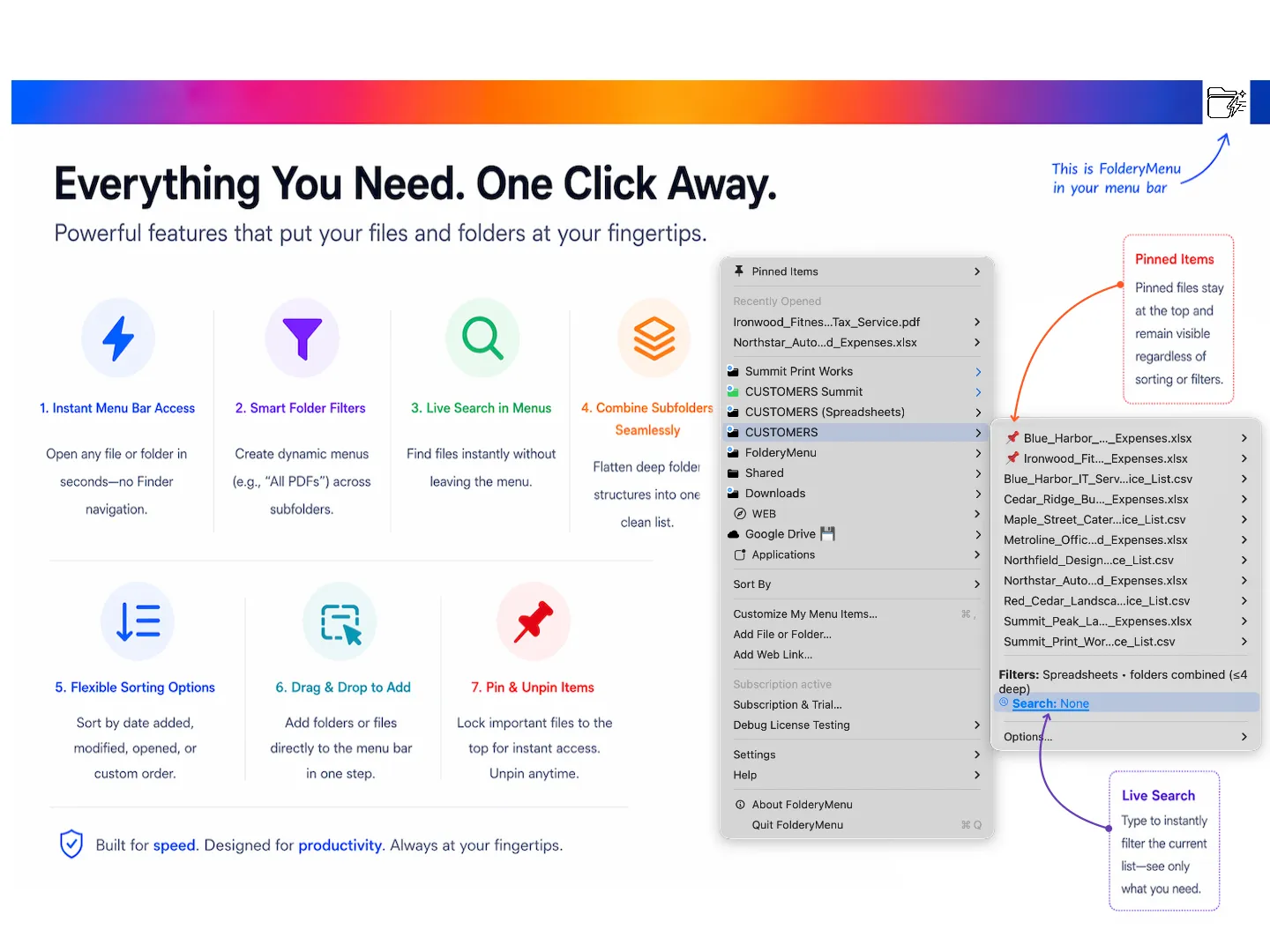
FolderyMenu adds pinned folders to the Mac menu bar as expandable menus, providing direct access to files without opening Finder. Users pin frequently accessed project folders, document directories, or application launchers and navigate their contents from a dropdown. (Mac App Store; price on listing)
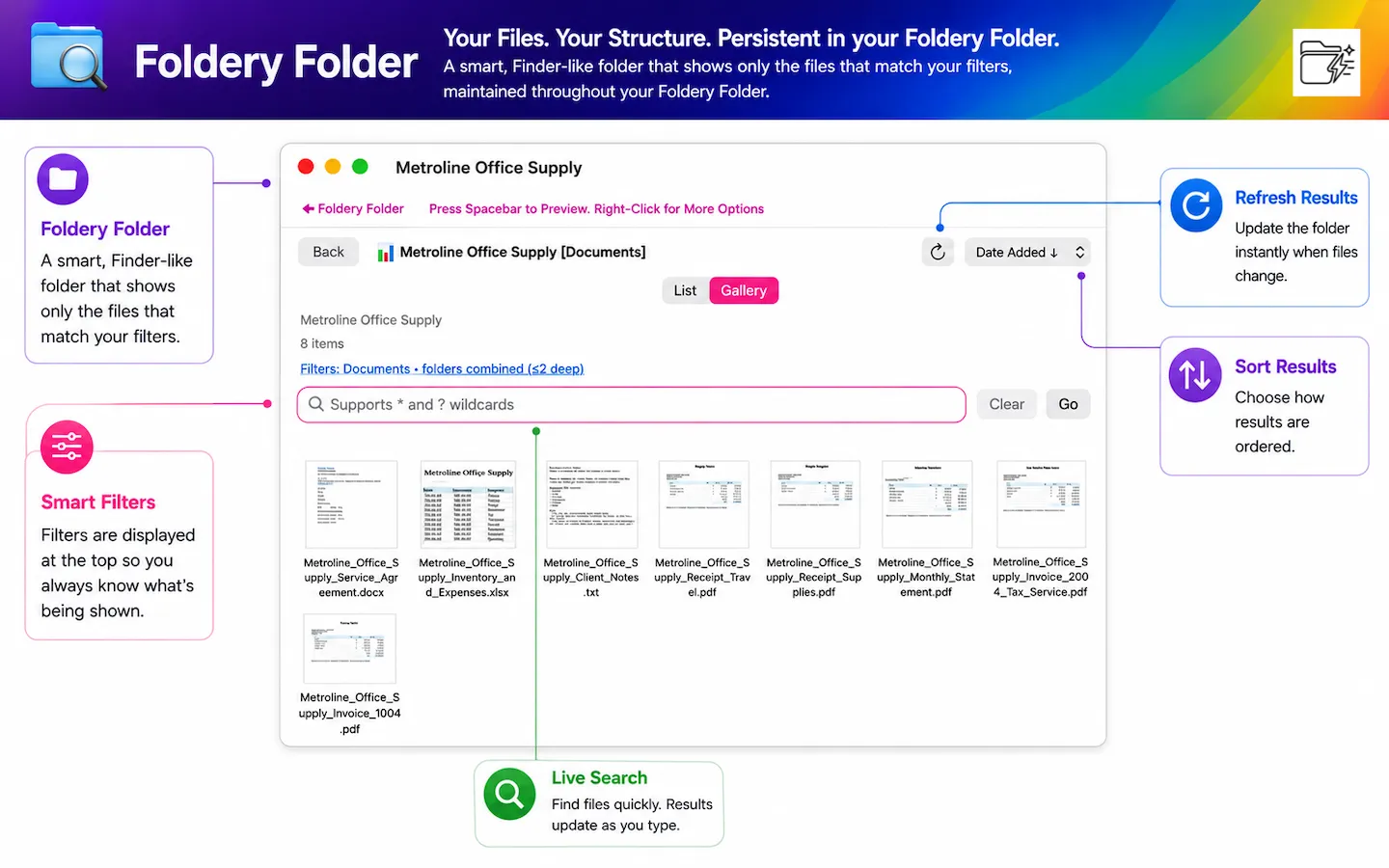
Smart filtering narrows folder contents by file type, extension, date range, name pattern, or folder depth. Live search delivers results as you type, and FolderyFind extends search across all pinned folders simultaneously. A gallery view provides visual browsing for image-heavy folders.
File actions available within FolderyMenu include Quick Look preview, open in default app, rename, reveal in Finder, pin for quick access, and move to trash. Pinned items and custom sort orders persist across sessions. The app also supports direct access to macOS System Settings panes and application pinning for one-click app launching.
System requirements: macOS version listed on the Mac App Store. Compatible with Apple Silicon and Intel Macs.
Pricing: Available on the Mac App Store; pricing displayed on the listing page.
Limitations: FolderyMenu does not replace Finder for bulk file operations, drag-and-drop between locations, or Finder-specific features like column view navigation. Menu bar real estate increases proportionally to the number of pinned folders.
Alternatives: Default Folder X (augments Open/Save dialogs rather than the menu bar), Path Finder (full Finder replacement with dual-pane browsing), macOS Finder Favorites sidebar (built-in, less granular filtering).
Suitable for users who access the same folders repeatedly throughout the day and want to reduce the number of Finder windows needed to reach frequently used files.


