Chorus is a menu bar audio control app for macOS that centralizes management of speakers, microphones, and per-app audio routing from a single interface. ($4.99, one-time)
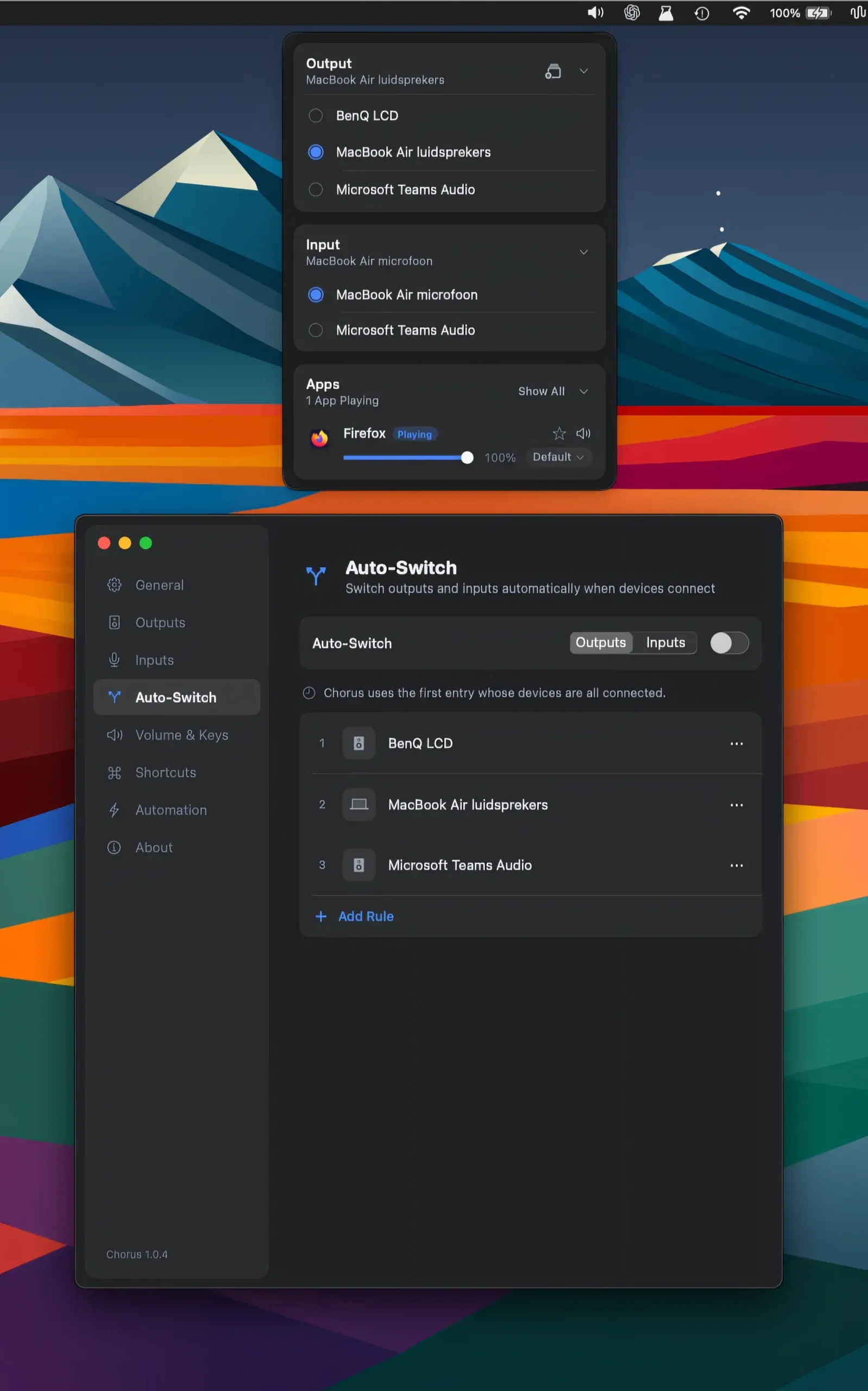
The app enables grouping of multiple speakers to play audio simultaneously, a capability macOS does not offer natively without third-party audio drivers. Users can switch between audio inputs and outputs from the menu bar with configurable keyboard shortcuts. The auto-switch feature follows device connections—plugging in headphones or an external speaker activates a preconfigured audio setup automatically.
Per-app audio routing allows assigning different outputs to individual applications. A typical use case routes a music player to external speakers while directing a video call to headphones, without adjusting system-level settings each time. Volume control integrates with macOS volume keys and the native volume HUD, preserving the standard system interaction. This per-app routing feature requires macOS 14.4 Sonoma or later.
Chorus integrates with Raycast, Apple Shortcuts, and Elgato Stream Deck for external control and automation. Audio configurations can be saved as named setups and triggered via these tools or custom shortcuts. The app requires no kernel extensions or additional drivers and uninstalls by dragging to the Trash.
System requirements: macOS 13 Ventura or later; per-app audio routing requires macOS 14.4 Sonoma or later. Optional Accessibility permission for volume key control. No kernel extensions required.
Pricing: ($4.99, one-time) — one purchase covers up to 3 Macs; 30-day free trial available.
Limitations: Per-app audio routing is restricted to macOS 14.4 and later, excluding users on macOS 13. Chorus is a direct download only and is not available on the Mac App Store. No iOS companion or remote control app exists.
Alternatives: Loopback from Rogue Amoeba provides more advanced virtual audio cable routing ($109, one-time). SoundSource, also from Rogue Amoeba, offers per-app volume and effects control ($39, one-time). BlackHole is a free open-source virtual audio driver for routing tasks but provides no menu bar UI.
Suitable for users who work with multiple audio output devices and need consistent, automated control over speaker grouping, microphone selection, or per-app audio routing without reconfiguring system preferences manually.