I’ve been working with a distributed team for years now, but it wasn’t until last month that I realized how many privacy gaps existed in my daily workflow. The wake-up call came during a client presentation when a personal message notification appeared on my shared screen, followed immediately by my MacBook randomly connecting to servers I didn’t recognize. That combination of embarrassment and concern sent me searching for better tools.
After experimenting with various security utilities over the past few weeks, I’ve settled on a small collection of menu bar apps that address the most common privacy vulnerabilities without requiring security expertise.
Understanding What’s Happening on Your Network
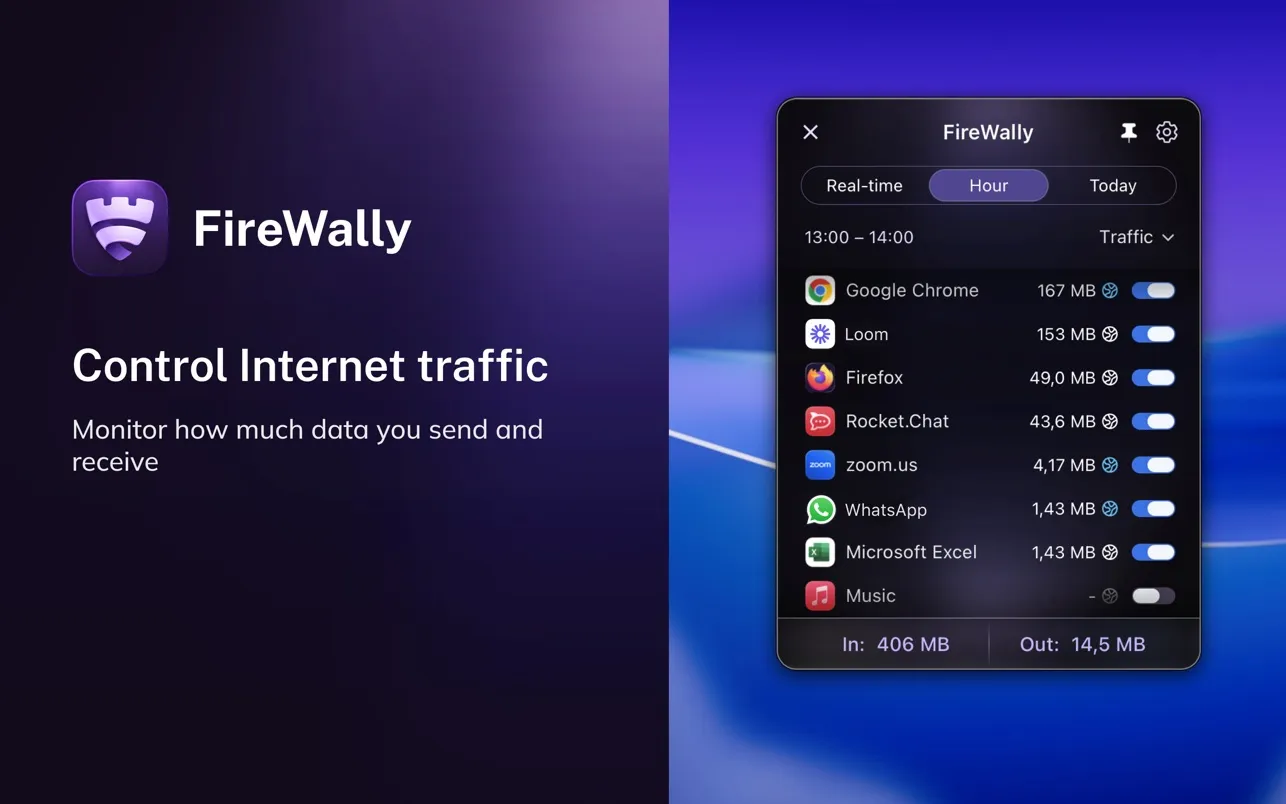
FireWally (Free) changed how I think about network activity. The app sits in your menu bar and shows which applications are connecting to the internet in real-time, with AI-powered explanations that translate cryptic domain names into plain language. Instead of seeing “api.amplitude.com” and wondering what that means, FireWally explains exactly what service that is and why an app might be contacting it.
I’ve been running FireWally for three weeks on my Mac Mini, and the visibility has been eye-opening. Apps I thought were offline tools turned out to be phoning home constantly. The one-click blocking feature lets me shut down unwanted connections immediately without diving into complex firewall rules. At 17MB and completely free, there’s no reason not to have this installed if you care about knowing what your Mac is doing behind the scenes.
The limitations are worth mentioning. FireWally provides application-level blocking rather than granular per-domain control, so users accustomed to advanced firewall tools like Little Snitch will find it more basic. But for most people who just want transparency without a steep learning curve, it works well.
Catching VPN Failures Before They Matter
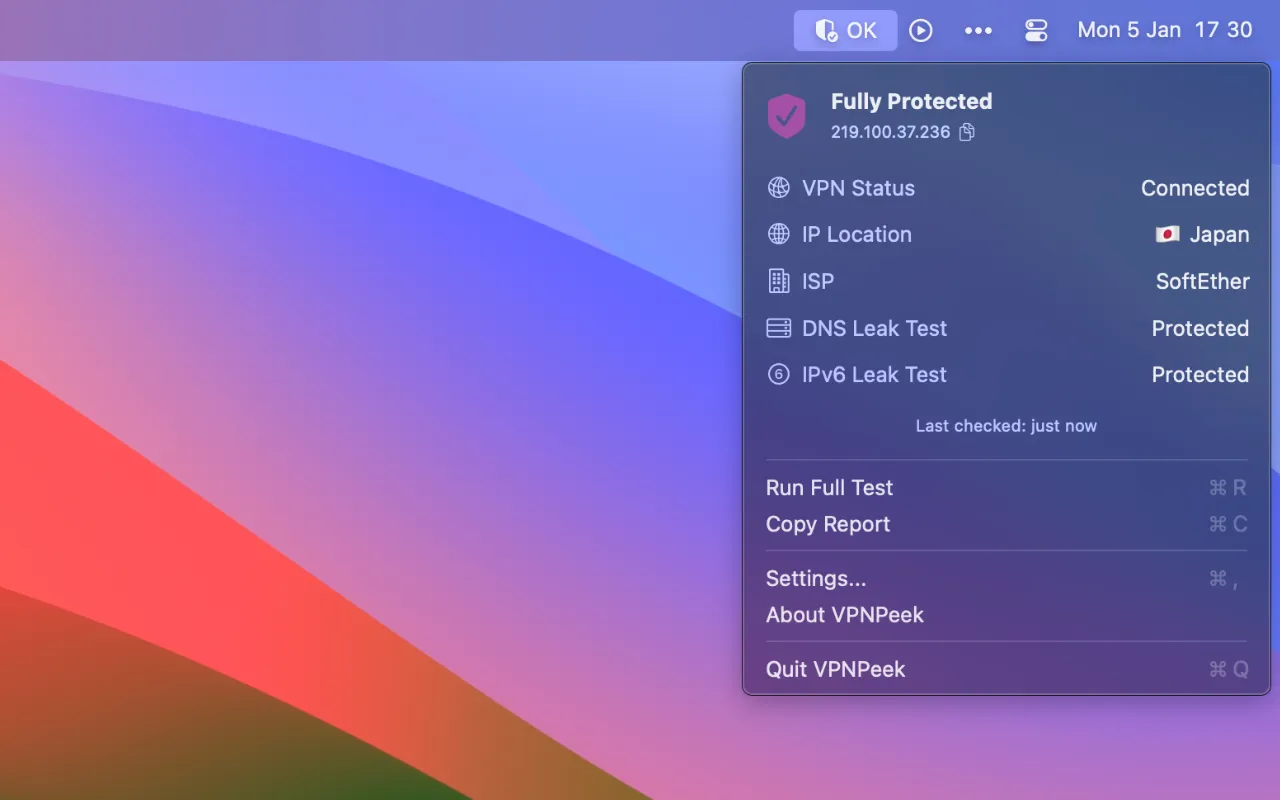
VPN Peek ($3.99) solves a problem I didn’t know I had until I started paying attention. VPNs fail more often than you’d think, and when they do, your traffic routes directly through your ISP without warning. VPN Peek monitors your connection continuously and alerts you immediately when your VPN disconnects or when DNS and IPv6 leaks occur.
The app works alongside any VPN provider rather than replacing it. After installing VPN Peek, I discovered my VPN was leaking IPv6 addresses even while IPv4 traffic went through the tunnel correctly. That’s the kind of issue that goes completely unnoticed without dedicated monitoring, and it defeats the entire purpose of using a VPN.
The interface shows your current public IP address, geographic location, and any detected vulnerabilities at a glance. A one-click option copies IP information to the clipboard when you need to verify your connection. At $3.99 for a one-time purchase with Family Sharing support, it’s priced reasonably for what amounts to ongoing peace of mind.
Preventing Screen Sharing Disasters
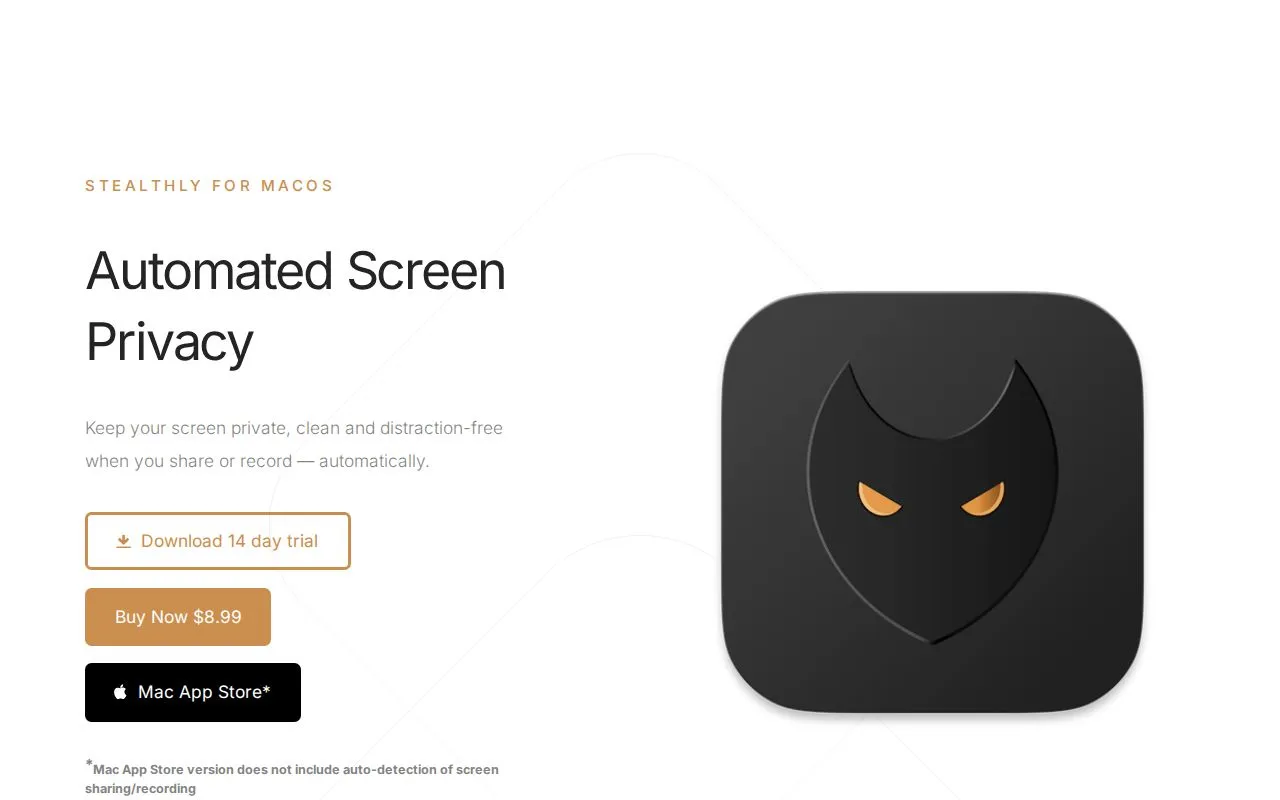
Stealthly ($8.99) addresses the notification problem that prompted this entire search. The app automatically detects when you’re sharing your screen or recording and immediately sanitizes your display. It hides desktop icons, clears active windows, conceals the dock, hides menu bar icons, and enables Do Not Disturb. When you stop sharing, everything returns to normal.
What sold me on Stealthly was the automatic detection across multiple applications including Zoom, Teams, Google Meet, QuickTime, and OBS. I don’t need to remember to activate it before meetings. The app monitors the system for screen sharing activity and handles everything automatically. I can also configure manual triggers for specific app launches or schedules.
Working with Stealthly for the past two weeks, I appreciate the selective controls. Sometimes I want to hide desktop icons while keeping the dock visible, or silence notifications while leaving windows active. The app remembers these preferences and applies them consistently. At $8.99 one-time with no subscription or data collection, it’s eliminated the pre-meeting anxiety about what might appear on my screen.
The main limitation is the macOS 14.0 requirement, which excludes older systems. Users on older versions might consider Muzzle as a free alternative, though it only handles notification silencing.
Taking Control of DNS
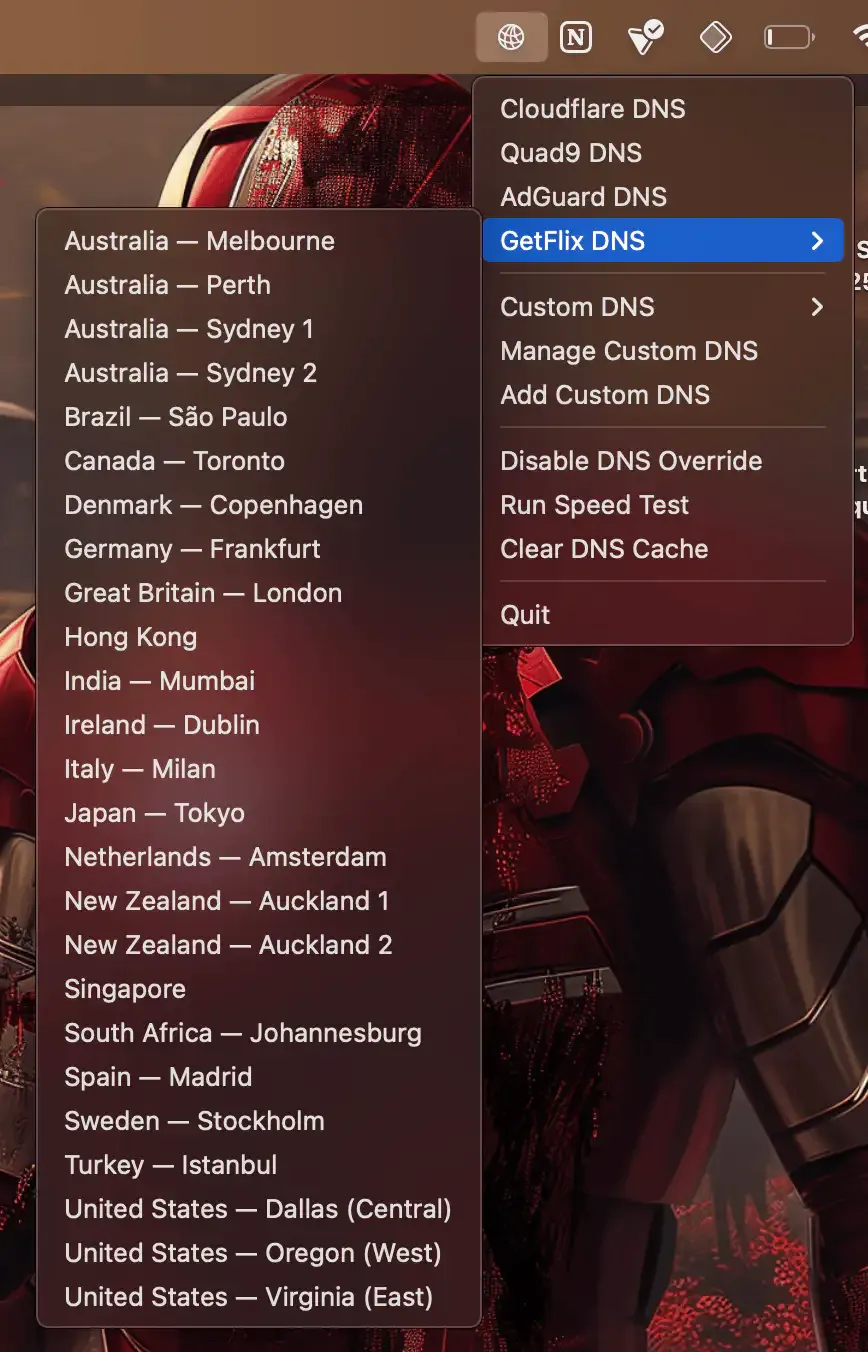
DNS Easy Switcher (Free, open-source) enables quick switching between DNS providers directly from your menu bar. The app supports popular services including Cloudflare, Quad9, AdGuard, and custom servers. The built-in speed testing feature identifies which DNS server performs best from your current network location.
I’ve found myself using DNS Easy Switcher more than expected. When I want network-level ad blocking, I switch to AdGuard DNS. For maximum speed during large downloads or streaming, I switch back to Cloudflare. The entire process takes seconds after Touch ID authentication.
The interface presents a simple dropdown list of DNS providers, speed test results, and custom server options. All settings persist locally, and the developer states the app collects no data and makes no network requests beyond DNS testing. Installation via Homebrew (brew install --cask dns-easy-switcher) or direct download from GitHub makes it easily accessible.
The administrator authentication requirement for each DNS change may feel cumbersome for frequent switching, and there are no scheduled switching or automation features. But for manual control over DNS providers, the free and open-source nature makes it an easy recommendation.
Additional Security Layers
Two other apps round out my security setup for specific scenarios. Rex ($4.99) provides anti-theft protection through an automatic alarm system that sounds when your MacBook is moved unexpectedly. The alarm plays even with headphones plugged in, which addresses the obvious workaround. I don’t work in coffee shops often enough to use this daily, but when I do, Rex arms automatically based on learned patterns without requiring manual activation.
Peace ($1.99) offers dual-purpose functionality for keeping your system awake or automatically securing your machine when you’re absent. The Coast Clear mode monitors user presence and triggers automatic logout when inactivity is detected. For users who step away from their desks frequently but forget to lock their screens, this addresses a common security gap.
Building a Privacy-First Workflow
What strikes me about these apps is how they address real privacy vulnerabilities without requiring security expertise. FireWally provides network visibility with plain-language explanations. VPN Peek catches VPN failures before they expose your traffic. Stealthly prevents screen sharing embarrassment. DNS Easy Switcher gives you control over DNS providers. Rex and Peace handle physical security and automatic logout.
The choice depends on your specific concerns and work environment. For remote workers who share screens regularly, Stealthly eliminates a major anxiety point. For VPN users who assume their connection is working correctly, VPN Peek provides essential verification. For anyone curious about what their apps are doing online, FireWally offers transparency.
After several weeks with these tools, my Mac feels significantly more secure. I know when my VPN fails, I understand what’s happening on my network, and I no longer worry about notifications appearing during presentations. The combined cost for the paid apps totals less than $20 for one-time purchases, with no subscriptions or recurring fees.
What I appreciate most is how these developers prioritize user privacy in their own apps. FireWally, VPN Peek, Stealthly, and DNS Easy Switcher all process data locally without cloud accounts, analytics SDKs, or ad tracking. Supporting independent developers who build privacy-respecting tools feels increasingly important as big tech companies continue expanding their data collection practices.
These apps represent practical privacy protection for everyday workflows. They don’t require technical knowledge, they don’t slow down your system, and they address real vulnerabilities that most people don’t realize exist until something goes wrong.