I keep music players hidden. The visual clutter of album art and playback controls competes for attention when I’m trying to focus on work. But I still need to see what’s playing and skip tracks occasionally. Menu bar music controllers solve this by providing minimal playback access without the full application interface.
The options depend largely on which streaming services you use and whether you need additional features beyond basic playback control.
Spotify and Apple Music
SpotMenu (Free, open-source) displays currently playing track information in a compact two-line format: song title and artist. Clicking reveals a hoverable panel with full album artwork and playback controls for play/pause, next, and previous tracks.
Global keyboard shortcuts work across applications, so I can skip tracks without switching focus from whatever I’m working on. The app supports both Spotify and Apple Music with automatic detection, which matters for users who switch between services.
The SwiftUI interface adapts to light and dark modes automatically. Resource usage is minimal—the app runs unobtrusively without noticeable impact on system performance.
The limitation is service support. SpotMenu relies on AppleScript interfaces, which means it only works with Spotify and Apple Music. Users of Tidal, YouTube Music, or other streaming services need different solutions.
Internet Radio
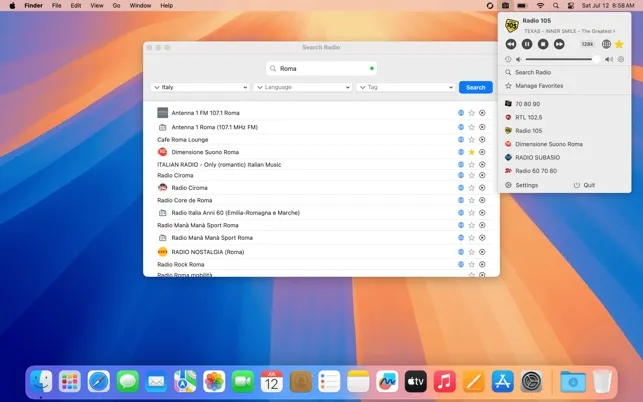
RadioBar ($2.99) provides access to over 50,000 radio stations worldwide from the menu bar. Stations are organized by country, language, and genre, with search and favorites (up to 20 stations) for quick access.
The independent volume control operates separately from system audio—radio levels adjust without affecting notification sounds or other applications. An auto-shutdown timer stops playback after a set duration, useful for falling asleep to radio without leaving streams running overnight.
At 828KB, the app maintains minimal resource footprint. Track information displays in the menu bar when available, and the app logs the last 100 played songs for reference.
The macOS 15.2 requirement limits compatibility. The 20-station favorites cap may feel restrictive for users monitoring many stations, though I find it sufficient for my listening habits.
Scrobbling and Tracking
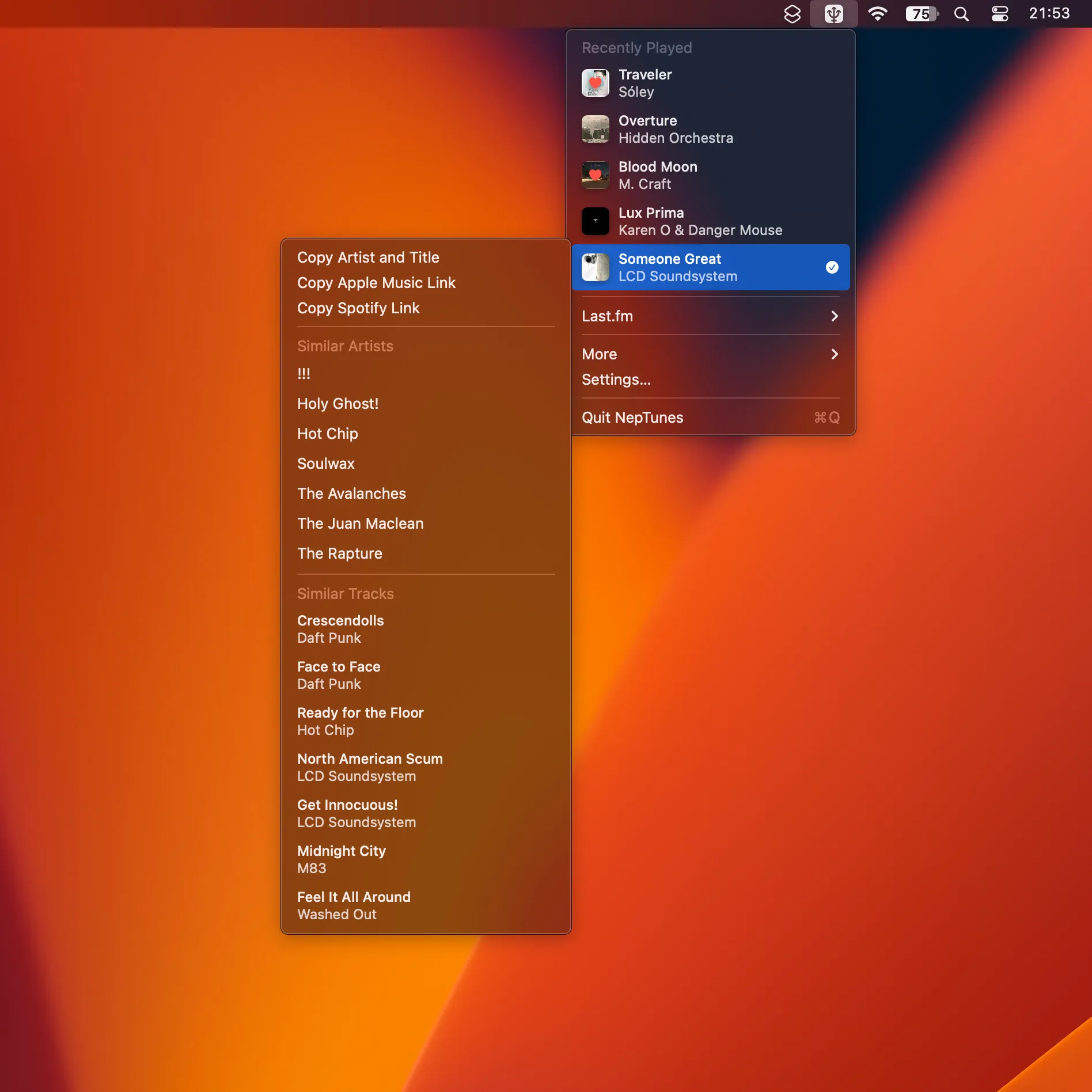
NepTunes approaches music from a different angle—tracking what you listen to across platforms and logging it to Last.fm. The app monitors Apple Music and Spotify, submitting track information when playback meets standard scrobbling criteria.
For users maintaining Last.fm listening history, NepTunes provides unified scrobbling without running multiple utilities. The menu bar presence stays minimal while tracking happens automatically in the background.
The value depends entirely on whether you use Last.fm. If you don’t care about listening statistics, this app has no utility. If you’ve maintained a Last.fm profile for years (as I have), consolidated scrobbling across services is genuinely useful.
My Setup
I run SpotMenu for playback control because I switch between Spotify and Apple Music depending on what I’m doing. The keyboard shortcuts for skip and play/pause get used constantly throughout the day.
RadioBar handles my occasional internet radio listening—primarily news streams and ambient music stations. The independent volume control is the feature I use most; radio plays at a lower level than other audio without touching system volume.
NepTunes runs in the background logging everything to Last.fm. The listening history has become interesting data over the years, even if I don’t actively analyze it.
Alternatives
The native Now Playing widget in macOS Control Center provides basic playback information without third-party software. For users who only need occasional track identification, this may be sufficient.
Spotify’s desktop app includes a Mini Player mode that provides compact playback control, though it still requires keeping the application visible somewhere.
The menu bar approach works best for users who want music access without any visible player interface. If you prefer seeing album art and full controls, the native applications or dedicated mini players might suit better.