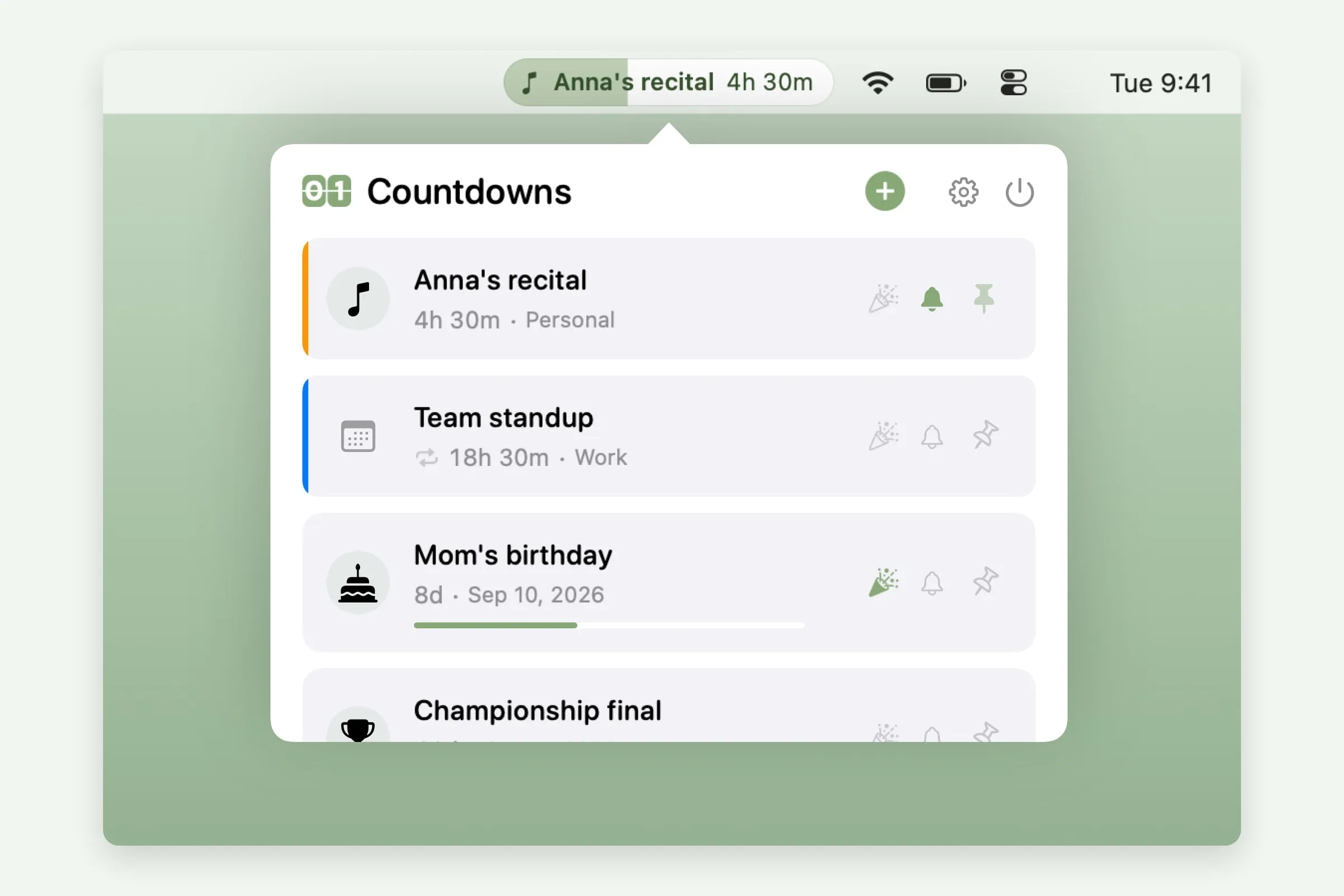
Await is a native macOS countdown app that pins the next upcoming event to the menu bar as a live timer. Users create countdowns manually by typing a date, or import events directly from macOS Calendar with read-only access. When a countdown reaches zero, Await can display a full-screen celebration animation, send a standard notification, or complete silently. (Pay-what-you-want from $1.99; 14-day trial)
Multiple countdowns can run simultaneously in a unified list, with one pinned to the menu bar at a time. Users can pin whichever countdown is most relevant for their current context — an upcoming release date, a project deadline, or a personal milestone. Recurring event support handles daily, weekly, and monthly schedules without recreating countdowns each cycle.
The app is time-zone aware, which matters when counting down to events that occur in a different location. All data stays on-device; no account, cloud sync, or subscription is required.
System requirements: macOS 14 Sonoma or later. Compatible with Apple Silicon and Intel Macs. App size is approximately 18 MB. One license covers up to 3 Macs.
Pricing: Pay-what-you-want with a suggested price of $1.99 as a one-time lifetime purchase. A 14-day free trial is included.
Limitations: Requires macOS 14 Sonoma, excluding users on older macOS versions. Only one countdown can be pinned to the menu bar at a time. Calendar integration is read-only; Await cannot create or edit calendar events.
Alternatives: Countdown Timer Plus (iOS-first with widgets), Day One (journal with milestone tracking), macOS Calendar (event management without menu bar countdown display).
Suitable for users tracking a specific upcoming date — a product launch, vacation, or deadline — who want a persistent visual reminder without setting up recurring notifications.


