

Keep It Simple
Hidden Bar
Hiding occasional menu bar clutter behind a divider.
The Catch There is no item search, always-hidden section or appearance customization.
Bartender alternatives for Mac: Ice and Thaw are free and open source, Hidden Bar keeps hiding simple, and Barbee adds rules. None copies every preset.
Bartender’s strength is automation: presets, triggers and AppleScript support. Start with the behavior you need: simple hiding, searchable icons, or a layout that changes with context.
Bartender is paid, and its configuration is more complex than basic show/hide tools. A free app, an open-source codebase or a simpler interface can matter more than contextual presets. None of these choices is a universal drop-in replacement.
Keep It Simple
Hiding occasional menu bar clutter behind a divider.
The Catch There is no item search, always-hidden section or appearance customization.
Open-Source Triggers
Organizing items with profiles, groups and automatic triggers on macOS 26.
The Catch Stable Thaw 2 requires macOS 26; macOS 14 and 15 need an older Thaw 1 release.
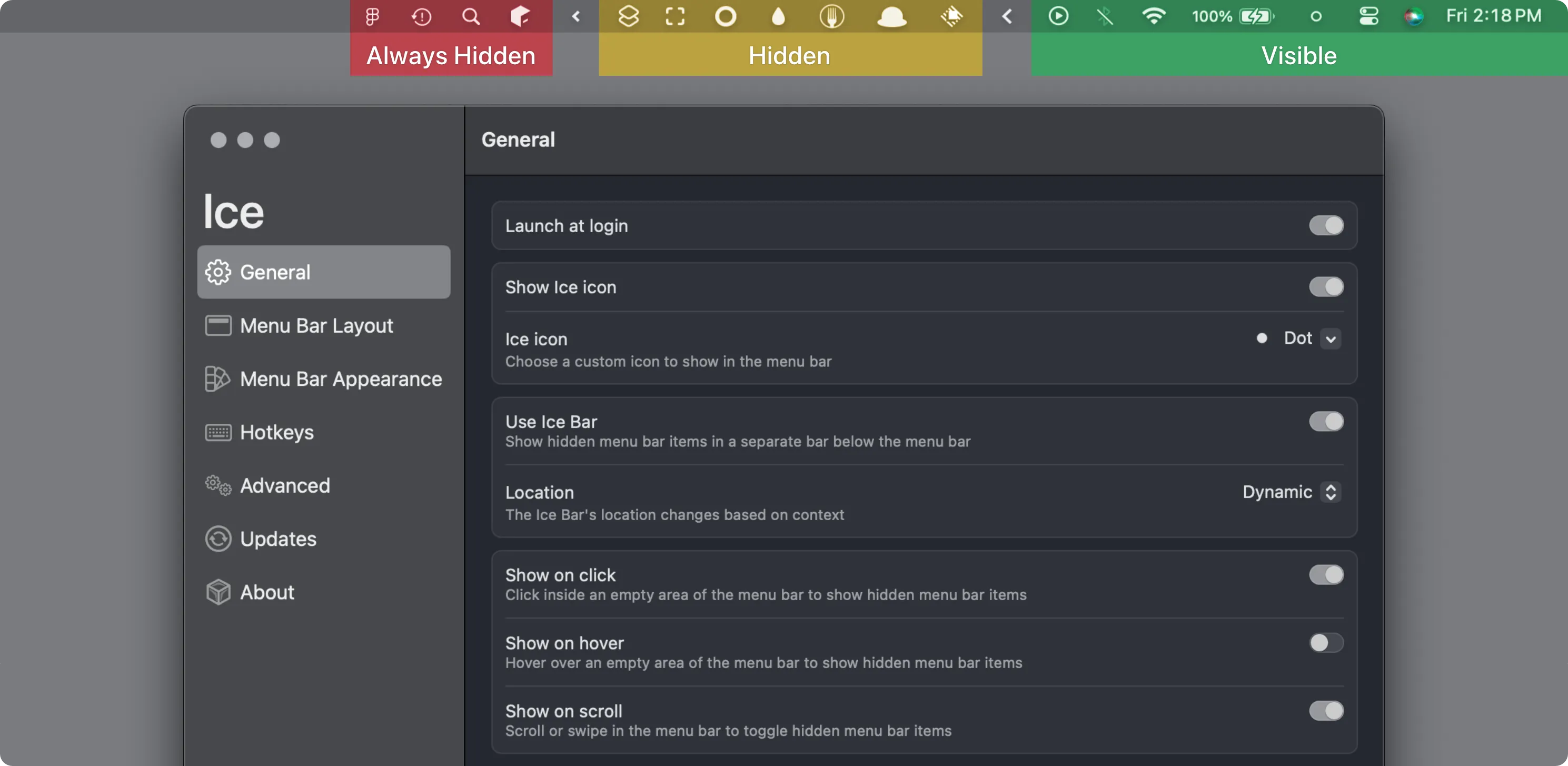
The Original Project
Hiding, searching and restyling menu bar items on macOS 14 or 15.
The Catch The latest stable release is from October 2024, so check compatibility with newer macOS versions.
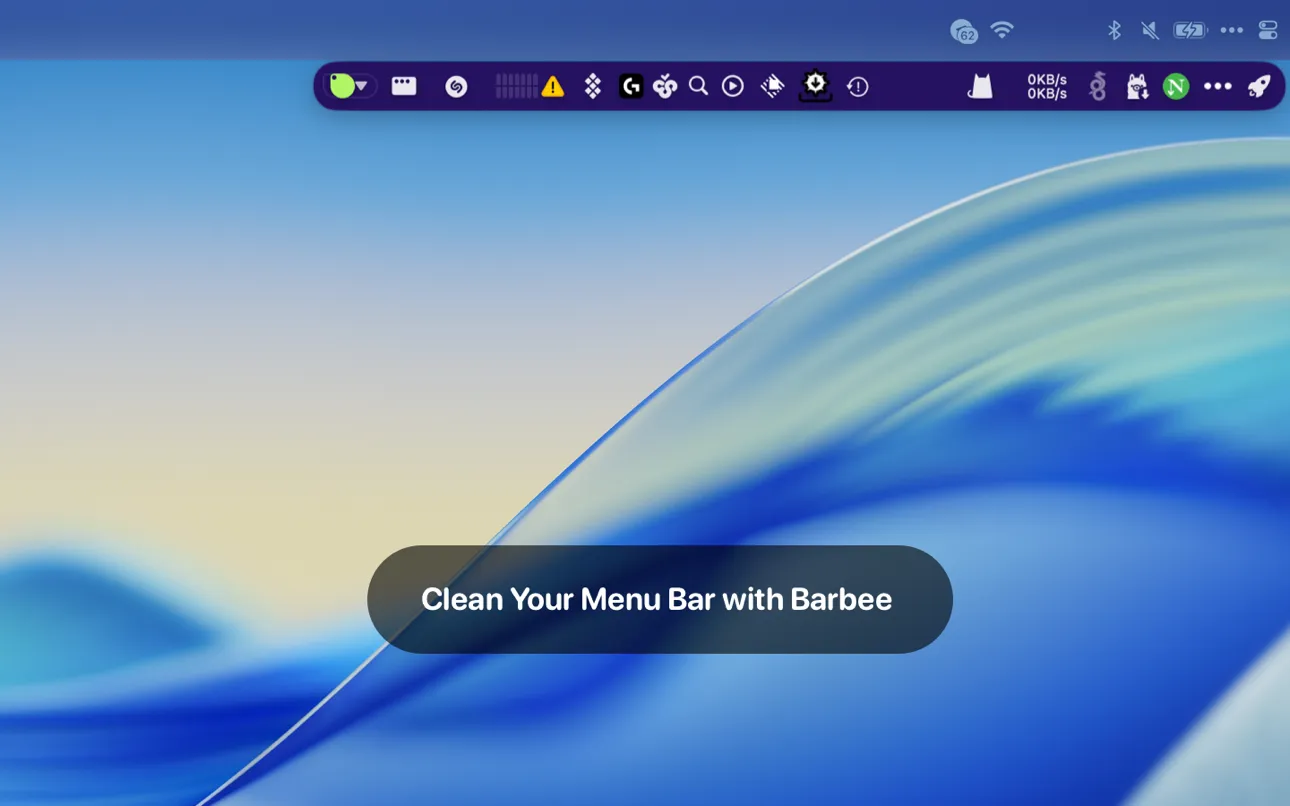
Automation Rules
Automating menu bar layouts with rules, item search and a second row.
The Catch Full features need a $12.99 lifetime or $4.99 yearly purchase, and AppleScript is unsupported.

Privacy Controls
Searching menu bar items and locking sensitive icons behind Touch ID.
The Catch It runs only on Apple Silicon and does not hide icons on macOS 27.
| App | Best For | Price | The Catch |
|---|---|---|---|
| Hidden Bar | Hiding occasional menu bar clutter behind a divider. | Free | There is no item search, always-hidden section or appearance customization. |
| Thaw | Organizing items with profiles, groups and automatic triggers on macOS 26. | Free | Stable Thaw 2 requires macOS 26; macOS 14 and 15 need an older Thaw 1 release. |
| Ice | Hiding, searching and restyling menu bar items on macOS 14 or 15. | Free | The latest stable release is from October 2024, so check compatibility with newer macOS versions. |
| Barbee | Automating menu bar layouts with rules, item search and a second row. | Free · in-app purchases | Full features need a $12.99 lifetime or $4.99 yearly purchase, and AppleScript is unsupported. |
| SaneBar | Searching menu bar items and locking sensitive icons behind Touch ID. | Free | It runs only on Apple Silicon and does not hide icons on macOS 27. |
These comparisons use the linked directory entries, not a new hands-on test. Confirm current pricing, requirements and release status with each developer. Missing facts are marked “Not Listed.”
Hidden Bar focuses on a show/hide divider. It is the closest fit when hiding icons is the only requirement.
Thaw is free and open source. It adds profiles, item groups and automatic triggers, such as battery level or power source. Its stable release requires macOS 26.
Thaw triggers and Barbee rules cover part of that workflow, but neither is presented as a full match. Barbee does not support AppleScript. Keep Bartender if its presets and scripting are essential.
Ice requires macOS 14 or later, Hidden Bar macOS 13 or later, and Barbee macOS 11 or later. On macOS 14 or 15, Thaw needs an older Thaw 1 release.